What Remember does
BeeMind has a feature called Remember. It is a spaced repetition system built into your library. When you mark a note as something worth keeping in long term memory, BeeMind turns it into a review card and surfaces it again on a schedule that matches how well you recall it.
The schedule uses the SM-2 algorithm, the same family of algorithms behind tools like SuperMemo and Anki. The better you remember a card, the longer the gap before BeeMind shows it to you again.
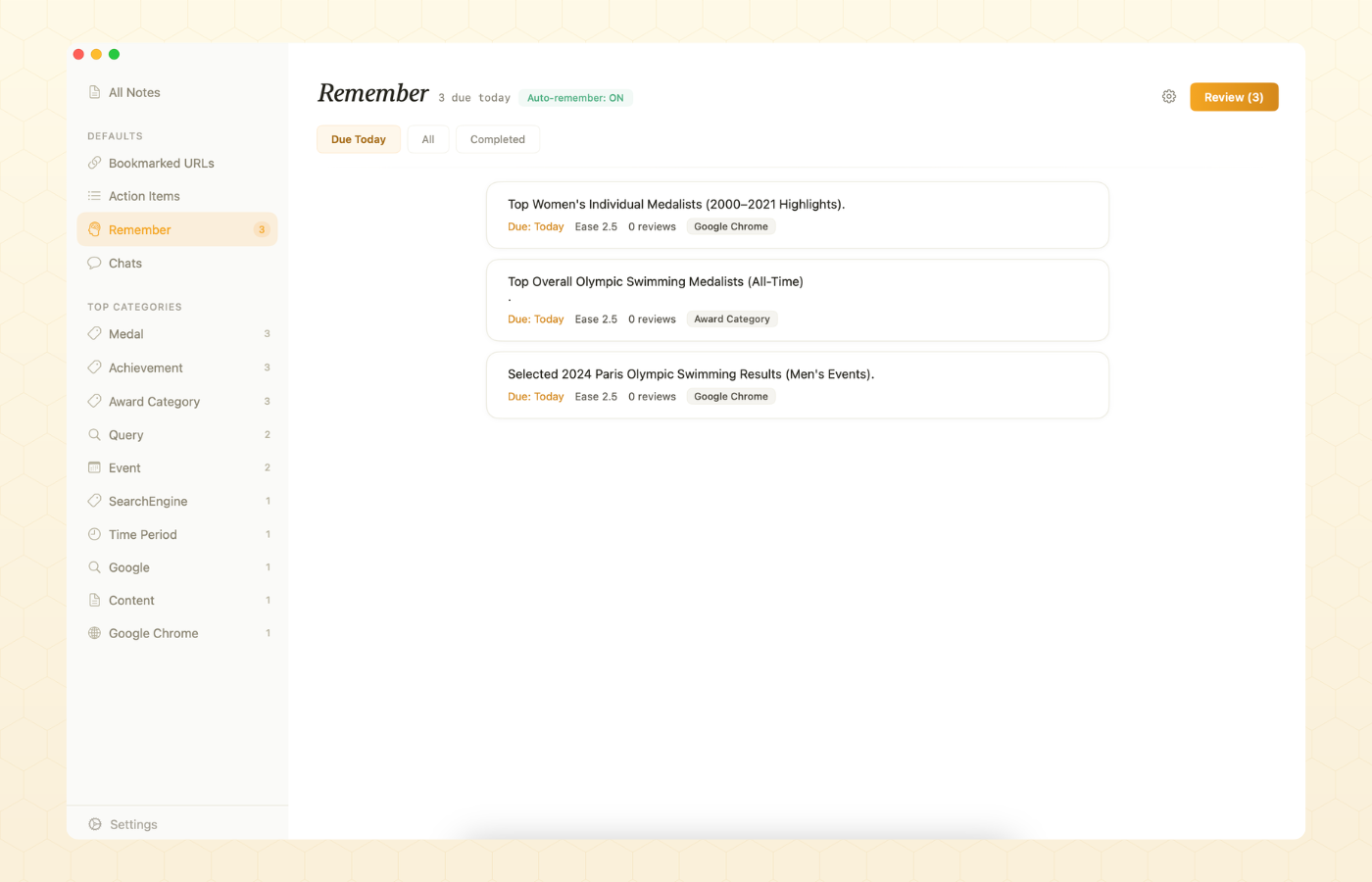
Add a note to Remember
You have two ways to put a note into the review queue.
- Manually. Open any text item in your library and toggle Add to Remember. The note becomes a card with a first review scheduled for tomorrow.
- Automatically with Auto-Remember. Describe the topics you care about in plain English, and BeeMind will check new captures against that description and add the matching ones for you. See the Auto-Remember section below.
Daily review
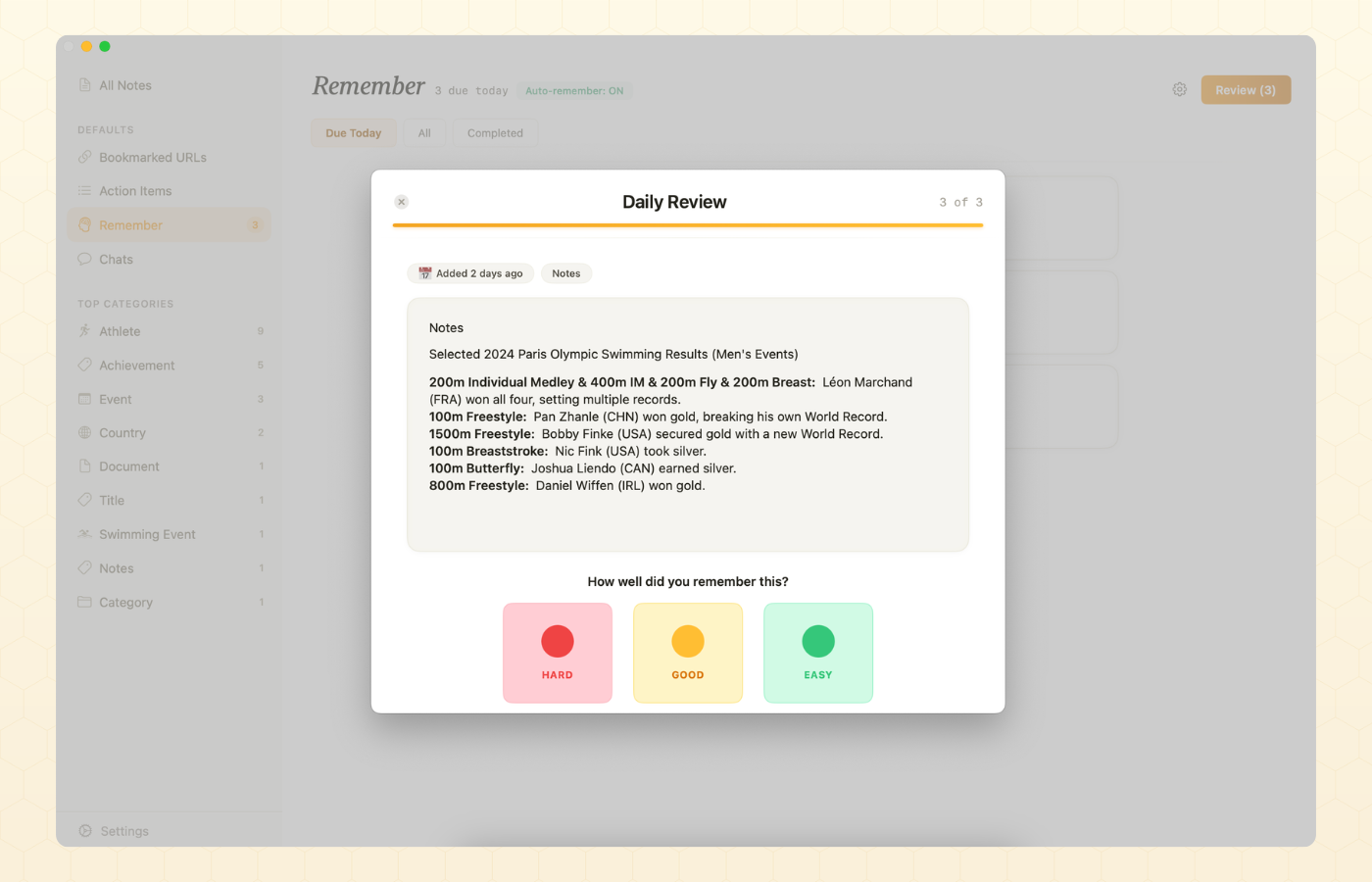
Open the Remember tab and you will see the cards that are due today, capped at your daily review limit (20 by default). For each card you grade your recall with one of three buttons.
| Button | What it does to the card | When to use it |
|---|---|---|
| Hard | Resets the card. Next review tomorrow. Ease factor goes down. | You forgot, or you only remembered after a real struggle. |
| Good | Next interval is the previous interval times the ease factor. | You remembered, but it took some thought. |
| Easy | Same as Good, with a small bump up to the ease factor. | You remembered instantly with no effort. |
How the schedule is calculated
Each card carries an ease factor (starts at 2.5, never drops below 1.3) and an interval in days. Both update after every review.
- The first time you see a new card, the next review is set 1 day out.
- The second time you see it, the next review is set to the configured initial interval (7 days by default). You can change this in BeeMind settings.
- From the third review onward, the next interval is the current interval multiplied by the card's ease factor and your pace multiplier.
- If you tap Hard, the card resets. Repetition count drops to 0, the next review is tomorrow, and the ease factor takes a hit.
- If you tap Easy, the ease factor goes up slightly, which stretches every future interval.
The result is a curve that gets gentler the better you know something, and snaps back to short intervals the moment you start to forget it.
Review pace
Pace is a global multiplier applied on top of SM-2. Pick the one that matches how aggressive you want your schedule to be.
| Pace | Multiplier | What it means |
|---|---|---|
| Relaxed | 1.5x | Stretches every interval. Fewer reviews, more time between them. |
| Normal | 1.0x | The default SM-2 schedule. |
| Intense | 0.8x | Tightens every interval. More frequent reviews, deeper retention. |
Auto-Remember with AI
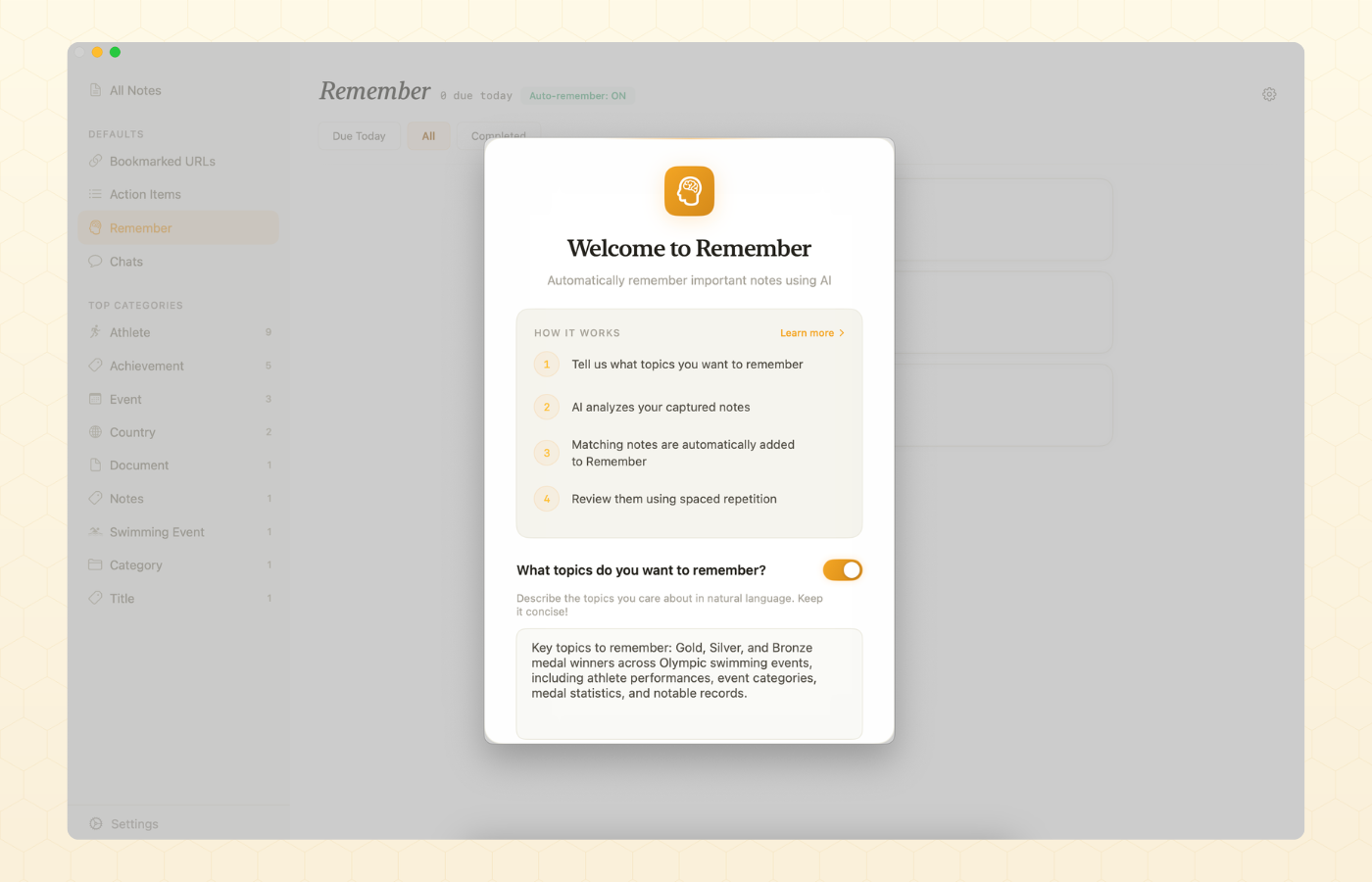
Auto-Remember decides which new captures are worth promoting into your review queue. You tell BeeMind, in plain English, what topics matter to you. Every time you save a new note, BeeMind asks the AI: does this match? If the answer is yes, the note becomes a Remember card automatically.
A typical prompt looks like this:
Topics to remember are mental models, personal growth, business development.
Keep the prompt short and specific. The 500 character limit is intentional: tighter topics mean better matches and lower AI usage.
Set up Auto-Remember
- Open BeeMind on Mac and go to Settings > Remember.
- Turn Auto-Remember on.
- Type the topics you want BeeMind to watch for. Use everyday language. No keywords, no special syntax.
- Save. With Pro active, your topics also sync to iPhone and iPad through iCloud.
What gets evaluated
- Auto-Remember runs only on new captures, after BeeMind extracts their entities. Existing notes in your library are not changed.
- The AI sees a small entity summary, not the full note body. This keeps each evaluation cheap and fast.
- The decision is binary, yes or no. You can always remove a card later from the Remember tab.
Daily reminders
BeeMind can post a daily notification when cards are ready for review. The default time is 10:00 AM, but you can change it in settings.
- Open Settings > Remember.
- Toggle Daily Notification.
- Pick a time that fits your routine.
On Mac, BeeMind asks for notification permission the first time you turn this on. If you skipped that prompt, grant it under System Settings > Notifications > BeeMind and try again.
Settings reference
- Daily review limit. Cap on how many due cards show up in a single session. Default 20. Increase if you have a large backlog and want to chip away faster.
- Initial interval. Days to wait between the first and second review of a new card. Default 7. Lower it if you want to lock in cards faster.
- Pace. Relaxed, Normal or Intense. Affects every card on every review.
- Auto-Remember. On / off, plus the natural language topic prompt.
- Daily notification. On / off, plus the time of day.
Auto-Remember settings sync between Mac, iPhone and iPad through iCloud when Pro is active. The other settings are per device, so you can run an Intense pace on Mac and a Relaxed pace on iPhone if you want.
Common questions
- Do I need a Pro plan to use Remember? On Mac, Remember is available on the free Mac app. On iPhone and iPad, Remember is a Pro-only feature, which means you need an active subscription, the 7-day Pro trial, or a Setapp plan that covers iOS. Auto-Remember uses your configured AI provider, which is part of the Pro feature set. See Plans and Sync.
- Can I bulk add notes to Remember? Yes. Select multiple notes in the timeline and use the Add to Remember action from the context menu.
- How do I remove a card? Open the note and toggle Add to Remember off, or swipe to remove it directly from the Remember list.
- The review queue looks empty. That means nothing is due today. Either come back tomorrow, or add more notes to Remember to grow the queue.
- Why does Hard reset my card all the way? SM-2 treats Hard as a memory failure. Resetting and showing the card again the next day is the fastest way to repair the recall path.
- Will my reviews and cards sync across devices? With a Pro plan active on both devices, yes. Cards, intervals, ease factors and review history sync through iCloud along with the rest of your library. On the Free plan, each device keeps its own Remember queue.