Pick a plan
BeeMind has one product across Mac, iPhone and iPad. The plan you pick is mostly about billing and which devices unlock Pro features.
- Free. The Mac app is free to use with no capture limit. The iOS app has a small free tier (25 lifetime captures, no Remember, no sync) that exists to help you try it before subscribing. Each device runs on its own; sync between Mac and iPhone is not included.
- Pro ($7 / month from beemind.app, or monthly / yearly via the App Store with a 7-day free trial). Unlocks unlimited iOS captures, sync across Mac, iPhone and iPad, the full AI chat, and every Pro feature on every device you sign into. One subscription covers all your devices.
- Setapp. If you already pay for Setapp, BeeMind is included. The standard plan covers the Mac app. Setapp Mobile (or a family plan that includes iOS) extends Pro and sync to iPhone and iPad.
Plan comparison
| Feature | Free | Pro | Setapp |
|---|---|---|---|
| Mac captures | Unlimited | Unlimited | Unlimited |
| iOS captures | 25 lifetime | Unlimited | Unlimited (Setapp Mobile) |
| Sync between Mac and iOS | Not included | Yes | With Setapp Mobile |
| AI chat with your notes | Limited | Full | Full |
| Spaced repetition (Remember) | Mac only | Mac and iOS, synced | Mac and iOS with Setapp Mobile |
| Free trial | n / a | 7 days on iOS | Use Setapp's own trial |
| Billing | No charge | Monthly or yearly | Bundled in your Setapp subscription |
How sync works
Sync between Mac and iPhone is a Pro feature. On the Free plan, each device keeps its own local library and they do not talk to each other.
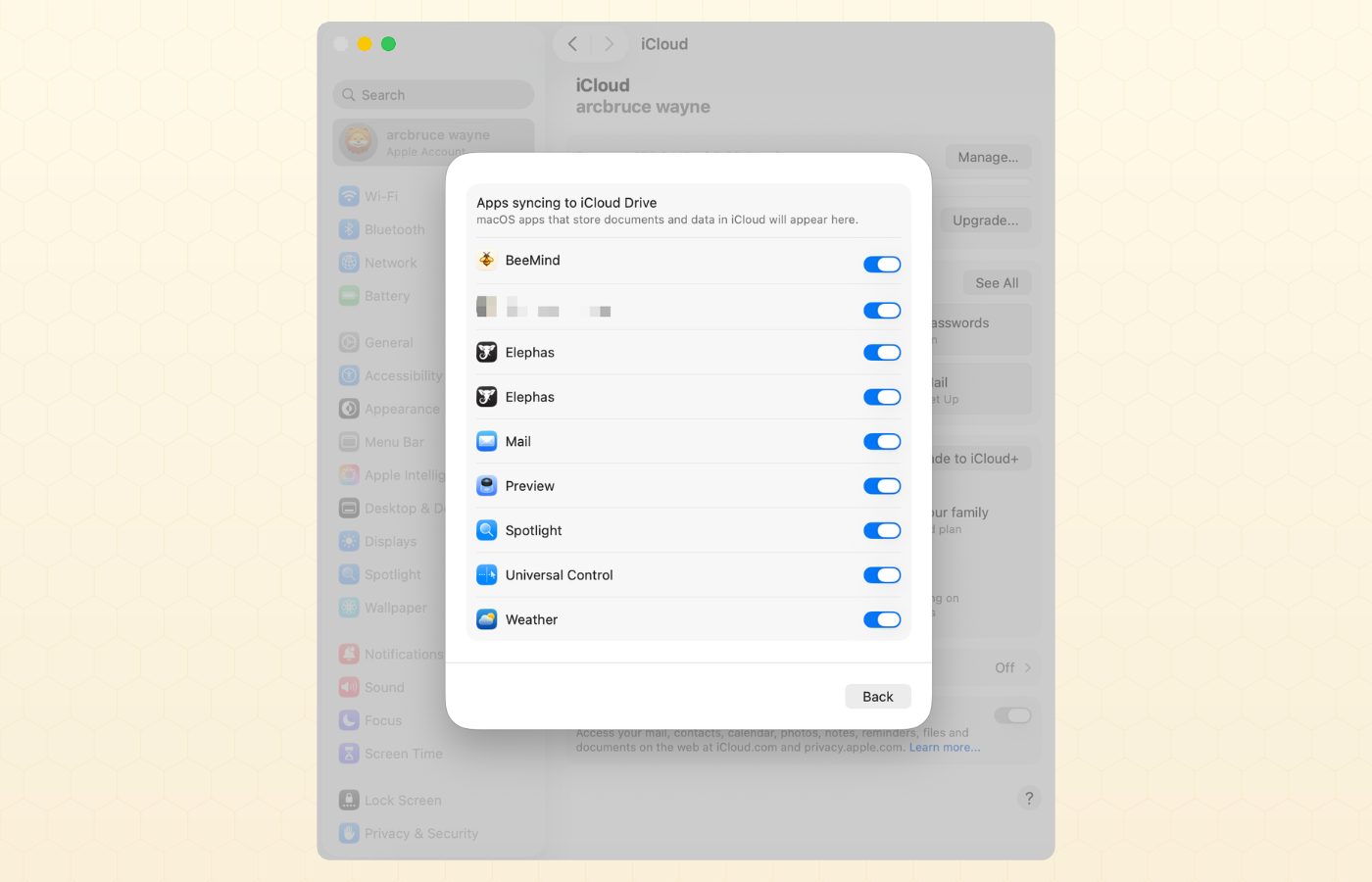
With Pro active, BeeMind syncs your library through iCloud. Everything stays inside your Apple ID, and there is no separate BeeMind cloud account to manage.
- Subscribe to Pro at beemind.app, or use a Setapp plan that covers iOS.
- Sign into the same Apple ID on every device you want to sync.
- Make sure iCloud is on under System Settings > Apple ID > iCloud on Mac, and Settings > your name > iCloud on iPhone or iPad.
- Open BeeMind on each device and sign in with your Pro account. The first launch may take a moment to pull your existing library.
What syncs
- Notes, captures and links from every device.
- Action items and their state.
- Spaced repetition cards and review history.
- Tags and folders.
What does not sync
- Per-device settings, like keyboard shortcuts on Mac and the share sheet preferences on iOS.
- AI provider keys you have entered locally on a Mac.
Switching plans
You can move between Free, Pro and Setapp at any time. Your local library on each device stays put when you switch. The thing that changes is whether the devices keep in sync going forward.
- Free to Pro. Subscribe at beemind.app and sign into the app on every device. Sync turns on once Pro is active.
- Pro to Setapp. Cancel your Pro subscription, then install BeeMind through Setapp. With Setapp Mobile, sync continues to work. With the standard Mac-only Setapp plan, iOS drops back to local-only.
- Setapp to Pro. Subscribe at beemind.app, then remove the Setapp build from your Mac if you no longer want it.
- Pro to Free. Cancel Pro and sync stops. Your existing notes stay where they are on each device, but new captures will not move between Mac and iPhone.
Sync troubleshooting
- Notes are not moving between Mac and iPhone. First confirm Pro is active on both devices. On the Free plan there is no sync, so this is expected. With Pro active, check that both devices are signed into the same Apple ID and that iCloud is turned on.
- Sync feels slow. The first sync after install can take several minutes if you have a large library. Subsequent changes show up within a few seconds.
- Two copies of the same note. This usually means two devices captured the same selection while offline. Delete the one you do not want; the change will sync everywhere.
- Pro is not active on iOS even though I have a Setapp plan. Your plan likely covers Mac only. Either upgrade to Setapp Mobile or buy Pro from beemind.app to unlock iOS and sync.
Cancel or refund
If you bought Pro on beemind.app, you can cancel from the billing link in your account email at any time. If you have Setapp, manage your subscription inside the Setapp app. For refund questions, contact support and include the email you signed up with.