How the iOS app is licensed
BeeMind on iPhone and iPad is a Pro app with a small free tier so you can try it before subscribing. Unlike the Mac app, iOS is not meant to be used long-term on the free tier.
- Free tier. Install from the App Store and you get up to 25 lifetime captures so you can see how BeeMind feels on iOS. Spaced repetition (Remember) and sync between Mac and iPhone are not available on the free tier.
- 7-day Pro trial. Start the free trial from inside the iOS app (during onboarding or from Settings). You get full Pro features for 7 days with no charge. Cancel any time before the trial ends and you will not be billed.
- Pro subscription. Monthly or yearly via the App Store. Unlocks unlimited captures, Remember, AI chat and sync across iPhone, iPad and Mac. A Pro subscription bought on iOS also unlocks the Mac app through iCloud, so you only pay once.
- Pro from beemind.app. If you already pay for Pro on the website, sign in inside the iOS app and the same subscription unlocks iPhone and iPad.
- Setapp Mobile. If your Setapp plan includes mobile apps (Setapp Mobile or a family plan that supports iOS), install BeeMind through Setapp and the iOS app unlocks Pro and sync automatically. The standard Mac-only Setapp plan does not unlock iOS.
If you are not sure which plan you have, see Plans and Sync for a side by side comparison.
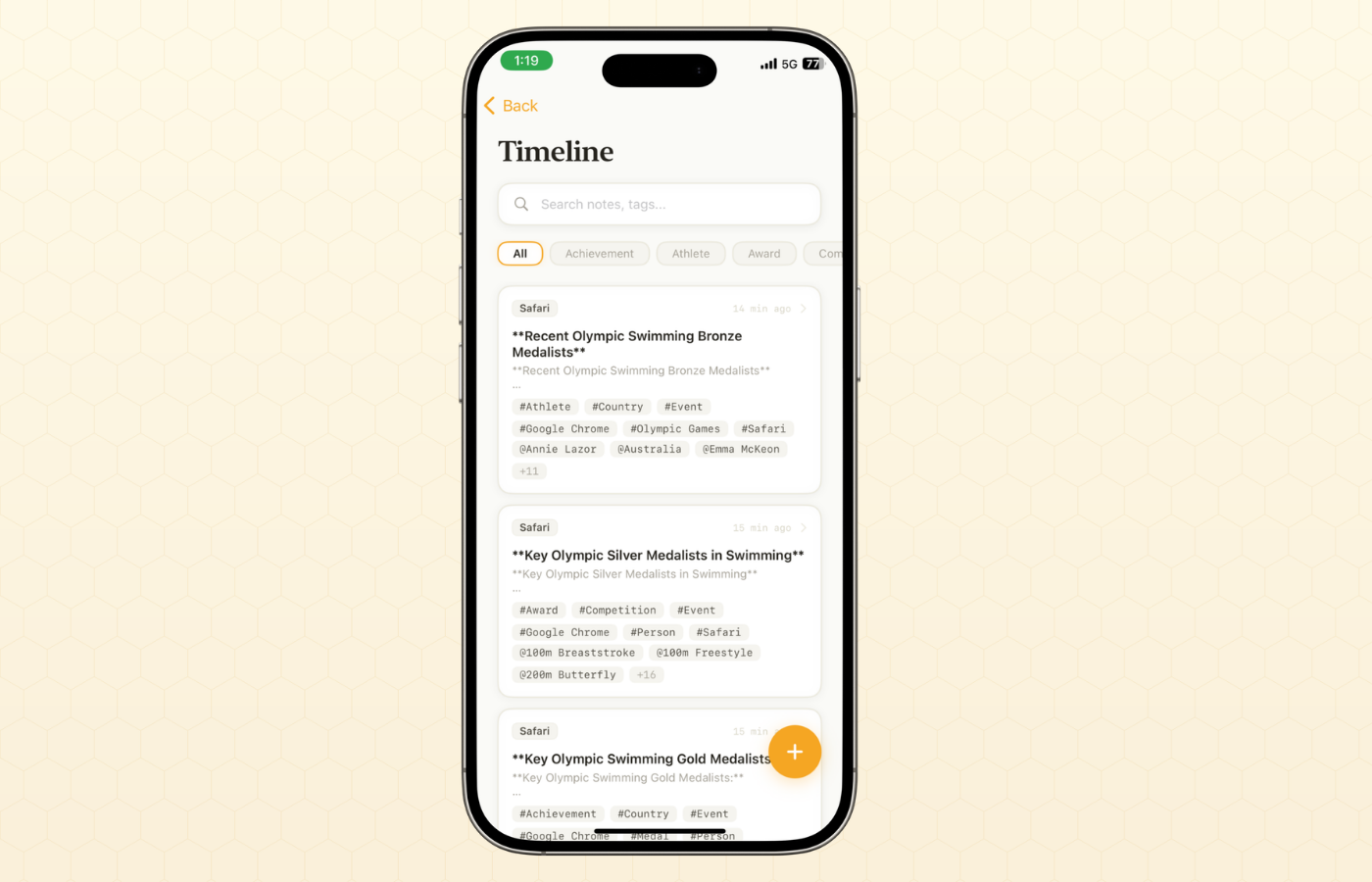
Capture on iOS
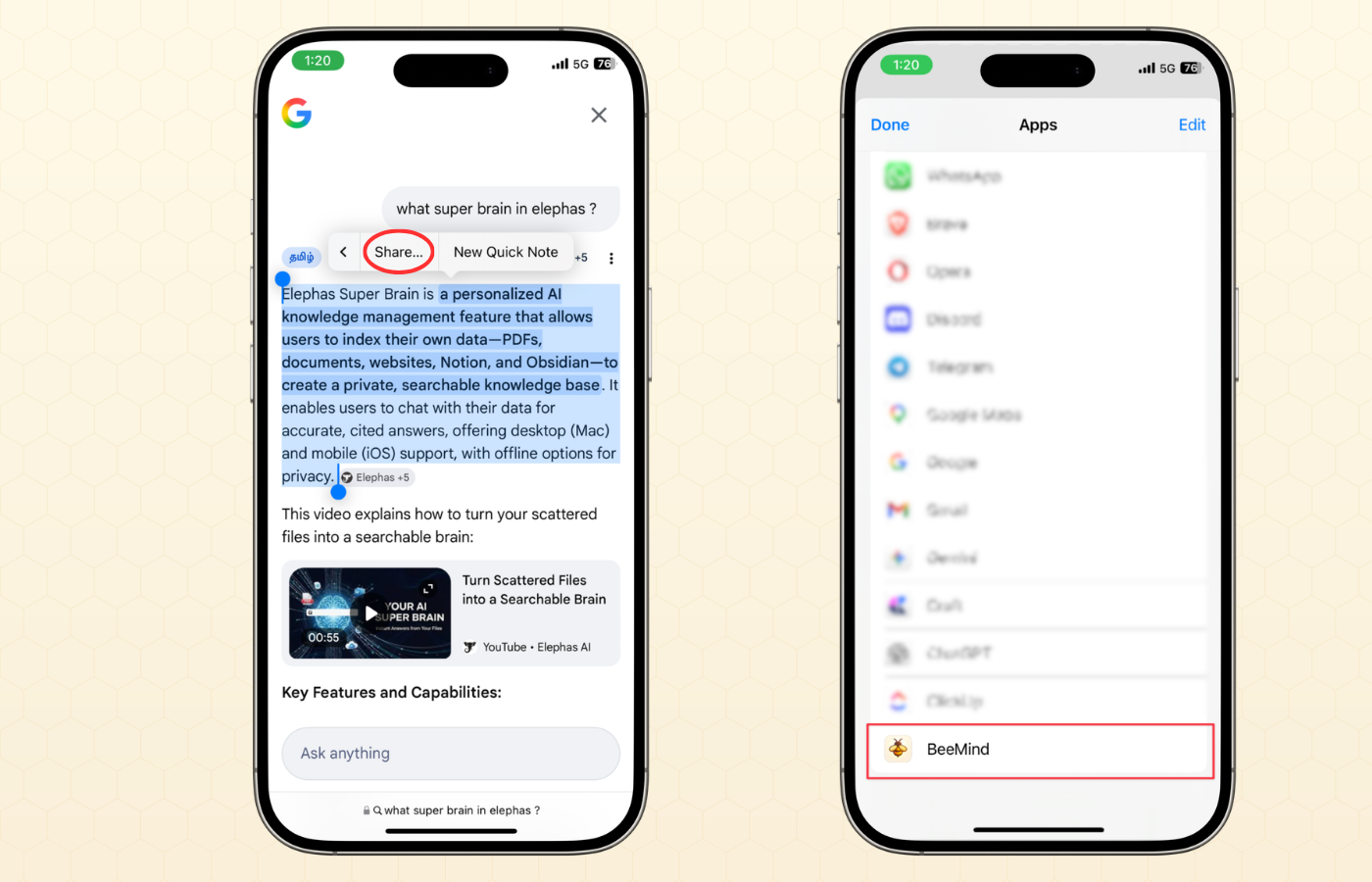
On iOS, BeeMind hooks into the system share sheet. From any app, hit the share button and pick BeeMind to save the link or selection.
- In Safari, Notes, Mail or any app, tap the Share button.
- Pick BeeMind from the share sheet. If you do not see it, tap More, scroll down, and turn BeeMind on.
- Add an optional note, pick whether it is a regular capture or an action item, and tap Save.
Sync with the Mac app
Sync between Mac and iPhone is a Pro feature. Once Pro is active on both devices, sync uses your Apple ID through iCloud. There is nothing to set up beyond signing in.
- Make sure Pro is active. Subscribe at beemind.app or use a Setapp plan that includes iOS.
- On Mac, open BeeMind and confirm you are signed into iCloud under System Settings > Apple ID > iCloud.
- On iPhone or iPad, open BeeMind and sign in with the same Pro account. The first launch fetches your existing notes.
- Capture something on either device. It should show up on the other within a few seconds when you are online.
Without Pro, the iOS app still works for capture and review, but each device keeps its own local library.
What if my plan does not unlock iOS?
Some Setapp plans cover Mac apps only. If your Setapp subscription does not include mobile, BeeMind on iOS will run on the 25-capture free tier even when the Mac copy is paid.
You have three options:
- Start the 7-day Pro trial in the iOS app. Useful if you want to try Pro on iPhone before committing to anything.
- Upgrade your Setapp plan to one that includes mobile, and Pro will unlock automatically on iOS the next time you open the app.
- Buy BeeMind Pro from the website and sign in on iOS. This unlocks Pro on iPhone and iPad, and pairs with your Setapp Mac install without conflict.
Common questions
- Is there a free forever version on iOS? Not really. The free tier is capped at 25 lifetime captures and has no Remember or sync. It is meant as a try-before-you-buy. The standard path is to use those captures, start the 7-day Pro trial, then subscribe.
- Can I use BeeMind on iPhone without a Mac? Yes. The iOS app is fully self-contained.
- Do I need to buy Pro twice if I have it on Mac? No. A Pro subscription bought from the website unlocks every device you sign in to and turns on sync between them.
- My captures are not syncing. First confirm Pro is active on both devices. Sync between Mac and iPhone is a Pro feature. With Pro active, check that both devices are signed into the same iCloud account and that BeeMind has iCloud access in System Settings > Apple ID > iCloud.