10 Best Pocket Alternatives in 2026 (After Mozilla Shut It Down)
June 4, 2026 · Kamban
Updated June 2026. What changed: the Pocket shutdown is fully complete (data permanently deleted on November 12, 2025). Added Recall to the lineup. Refreshed all pricing to mid-2026 figures. Added a "Fully Local Option" column to the comparison. Added BeeMind's Setapp availability (live June 3, 2026). Rewrote the FAQ around migration now that the export window has closed.
Mozilla officially shut down Pocket on July 8, 2025, leaving millions of readers without their go-to save-for-later app. The data export window closed on November 12, 2025. After that date, everything was permanently deleted. If you still have an exported HTML file, most tools on this list can import it. If you missed the window, your saves are gone.
The silver lining: the alternatives available in 2026 are better than Pocket ever was. Several have AI features Pocket never offered, better organization, and more sustainable business models.
We tested and compared 10 Pocket alternatives. Below: an honest look at what each one does well, what it doesn't, and who it's actually best for.
Quick Comparison: Best Pocket Alternatives at a Glance (2026)
| Tool | Best For | Free Tier | Paid Price | Platforms | Chat/AI | Spaced Repetition | Fully Local Option |
|---|---|---|---|---|---|---|---|
| Raindrop.io | Closest Pocket replacement | Yes (unlimited bookmarks) | ~$38/yr | Mac, Windows, iOS, Android, Web | AI assistant (Pro) | No | No |
| Readwise Reader | Power readers who highlight everything | 30-day trial only | $9.99/mo annual | All platforms | Ghostreader AI | Daily Review (highlights) | No |
| Instapaper | Clean reading, Kobo users | Yes | $5.99/mo or $59.99/yr | iOS, Android, Web | No | No | No |
| BeeMind | Capture snippets, chat with your library, remember what matters | Yes (BYO API key) | $7/mo Pro, or free on Setapp | macOS, iOS | Chat with citations | SM-2 built in | Yes (opt-in) |
| Matter | Newsletter and podcast readers | Yes | $8/mo or $60/yr | iOS, Web | No | No | No |
| GoodLinks | Apple-only, no subscription | No | $9.99 one-time | macOS, iOS, iPadOS | No | No | No |
| Recall | AI knowledge base, summarization | Yes (10 AI summaries/mo) | $10/mo Plus (annual) | Browser ext., iOS, Android, Web | Chat with KB | SR quizzes (Plus) | No |
| Folio | Pocket-like experience, easy migration | Yes | Premium (price not listed) | iOS, Android, Web | No | No | No |
| Wallabag | Self-hosters, full data ownership | Yes (self-host) | €11/yr managed | Self-host, iOS, Android, Kobo | No | No | No |
| Omnivore | (discontinued) | N/A | Shut down Nov 2024 | N/A | N/A | N/A | N/A |
Fully Local Option, explained. This column means both the chat model and the indexing (embedding) model can run on-device via a local LLM, with nothing leaving your Mac. BeeMind supports this via localhost completions plus a local embedding model (e.g.
nomic-embed-text). It is opt-in, not the default. The app itself flags that local indexing is currently lower-accuracy than cloud and recommends cloud for best results. No other read-later tool on this list offers it. See the BeeMind section for detail.
Why You Need a New App in 2026
Mozilla announced Pocket's closure in May 2025, citing a shift in how people consume content online. The shutdown was fast:
- May 22, 2025: Pocket removed from app stores, new sign-ups disabled.
- July 8, 2025: Service shut down. Apps, browser extensions, and the API went offline.
- November 12, 2025: Export window closed. All user data permanently deleted.
For the millions who relied on Pocket, including Kobo e-reader users who had Pocket built into their devices, it left a real gap. Kobo has since partnered with Instapaper as the official replacement on their e-readers.
"I'm grieving. I used this feature nearly every day and loved the Kobo integration that allowed me to read saved articles distraction-free on my e-ink devices."
- former Pocket user, via Reddit
The upside: Pocket hadn't shipped a significant update in years. Every tool below does at least one thing better.
Which Type of Pocket User Are You?
Before the individual reviews, the right choice depends on what you actually did with Pocket:
- "I saved links to read later and actually read them" - Raindrop.io or Instapaper.
- "I saved links and mostly never went back" - BeeMind (chat with what you save) or Readwise Reader.
- "I loved it on my Kobo" - Instapaper (official Kobo integration).
- "I want the same experience back" - Folio (built by people connected to the original Pocket team).
- "I need something on all platforms including Android" - Raindrop.io, Instapaper, or Recall.
- "Privacy and data ownership matter most" - Wallabag (self-host) or BeeMind (fully local, opt-in).
- "I want AI to help me understand what I save" - BeeMind or Recall.
- "I'm a Setapp subscriber" - BeeMind on Setapp is free as part of your existing plan.
1. Raindrop.io - Best Overall Pocket Replacement
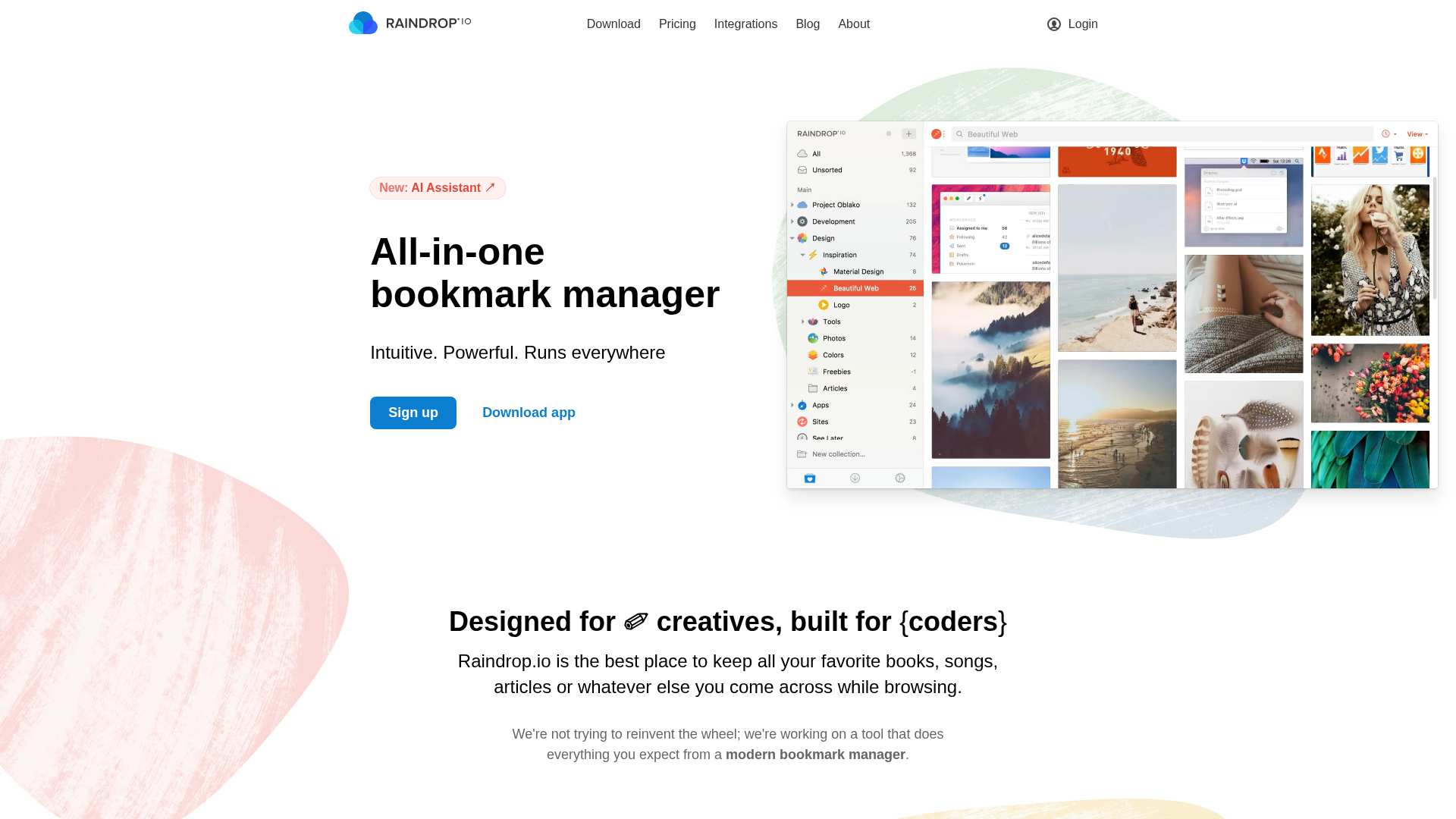
Raindrop.io is the closest one-to-one replacement for Pocket. It does everything Pocket did (save articles, add tags, read later) and adds features Pocket never had: full-text search across your library, nested collections, browser extensions for every major browser, and an AI assistant on Pro.
The free tier is generous: unlimited bookmarks, unlimited collections, sync across all platforms.
Platforms
macOS, Windows, iOS, Android, Web, Chrome, Firefox, Safari, Edge.
Key Features
- Unlimited bookmarks and collections on the free plan
- Full-text search (Pro) across saved pages, PDFs, and bookmarks
- AI assistant that answers questions from your saved content (Pro)
- Permanent web archive, cached copies of saved items (Pro)
- Browser extensions for every major browser
- Collaborative collections for teams
Pricing
- Free: Unlimited bookmarks, unlimited collections, all devices
- Pro: ~$38/yr (~$3.15/mo annual). Adds AI assistant, full-text search, web archive, annotations, reminders, 10 GB file uploads/month
Pros
- Widest platform support on this list
- Generous free tier, you may never need to pay
- Clean UI with list, grid, and headline views
- Active development with a sustainable business model
Cons
- AI features and full-text search are Pro-only
- No spaced repetition or knowledge-retention layer
- Reading mode is not as polished as Instapaper's
Best for: Most former Pocket users. If you want the smoothest transition with the most feature parity, start here.
2. Readwise Reader - Best for Power Readers and Researchers
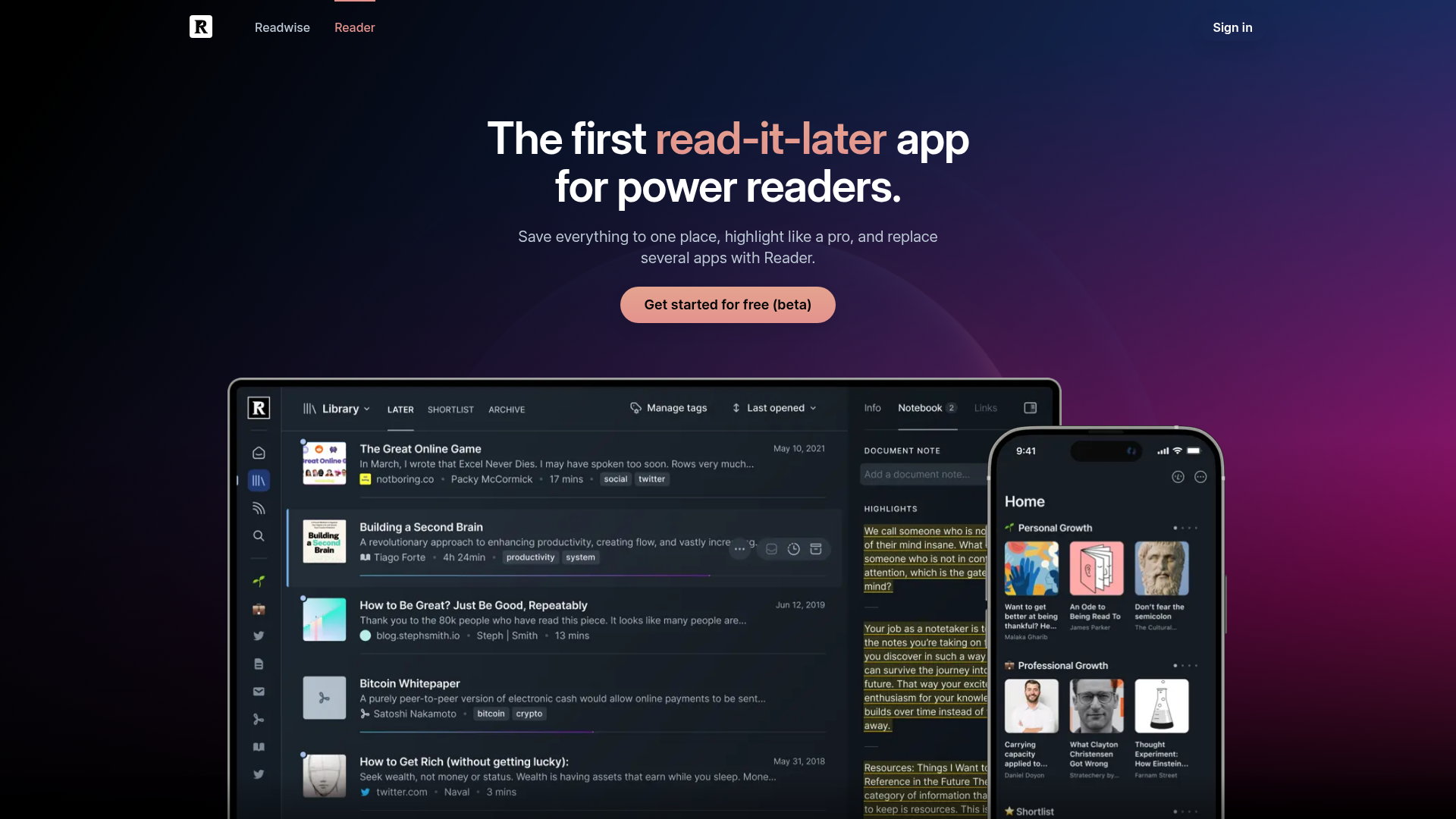
Readwise Reader is the most feature-rich option on this list. It handles articles, RSS feeds, PDFs, ePubs, YouTube transcripts, and tweets in one reading environment. If you highlighted aggressively in Pocket and want those highlights to sync into Obsidian, Notion, or Logseq, Reader is built for exactly that.
There's no free tier, only a 30-day trial, and it's the most expensive tool here. If you just want to save links to read later, it's probably more than you need.
Platforms
macOS, Windows, iOS, Android, Web.
Key Features
- Universal reader: articles, RSS, PDFs, ePubs, YouTube transcripts, tweets, all in one app
- Highlighting and annotations with automatic export to Obsidian, Notion, Roam, Logseq
- Ghostreader AI: summarize, define, translate, and ask questions inline while reading
- Daily Review, spaced repetition for your highlights
- Triage inbox separates saving from reading
Pricing
- Readwise Lite: $5.59/mo annual (highlights + Daily Review only, no Reader app)
- Readwise Full: $9.99/mo annual or $12.99/mo monthly. Includes Reader.
- 30-day free trial on both plans
- 50% student discount available
Pros
- Most comprehensive reading and annotation environment available
- Deep integrations with every major PKM tool
- Spaced repetition keeps highlights surfaced over time
- Well-established product with a strong track record
Cons
- No free tier, only a trial
- Most expensive option at ~$120/yr for the full plan
- Can feel like too much if you just want to save and read articles
Best for: Serious readers, researchers, and writers who highlight extensively and want their reading connected to a knowledge management workflow.
3. Instapaper - Best Distraction-Free Reading (and the Official Kobo Replacement)
Instapaper has been around since 2008, longer than Pocket, and it remains the cleanest reading experience in this category. If what you loved about Pocket was the stripped-down article view, Instapaper delivers it better.
Importantly: Rakuten Kobo has partnered with Instapaper as the official Pocket replacement on all Kobo e-readers. If you were using Pocket to send articles to your Kobo, Instapaper is the direct path forward. Set it up in your Kobo settings under "Instapaper."
Platforms
iOS, Android, Web (no native desktop app).
Key Features
- Best-in-class reading view with customizable fonts, margins, and themes
- AI text-to-speech with 17 voices, playlists, up to 3x speed (Premium)
- Speed reading mode
- Official Kobo e-reader integration, Pocket's direct successor on Kobo devices
- Folders and highlights for organization
- Send to Kindle (Premium. As of February 2025, Send to Kindle requires Premium)
Pricing
- Free: Unlimited saves, cross-platform sync, 5 notes/month, basic speed reading
- Premium: $5.99/mo or $59.99/yr
- Student: $3/mo or $30/yr
Pros
- Cleanest, most focused reading experience here
- Solid free tier for basic read-later
- Official Kobo integration, the best path for e-reader users
- Student pricing is very fair
Cons
- No AI chat, no knowledge-base features, no spaced repetition
- No desktop app, web only on desktop
- Send to Kindle now requires Premium (was free until Feb 2025)
Best for: Readers who want clean, distraction-free reading, and especially Kobo e-reader owners.
4. BeeMind - Best for Capturing and Remembering What You Read
Disclosure: this is our product. We include it because it fits a specific use-case, and we're honest about where it does not.
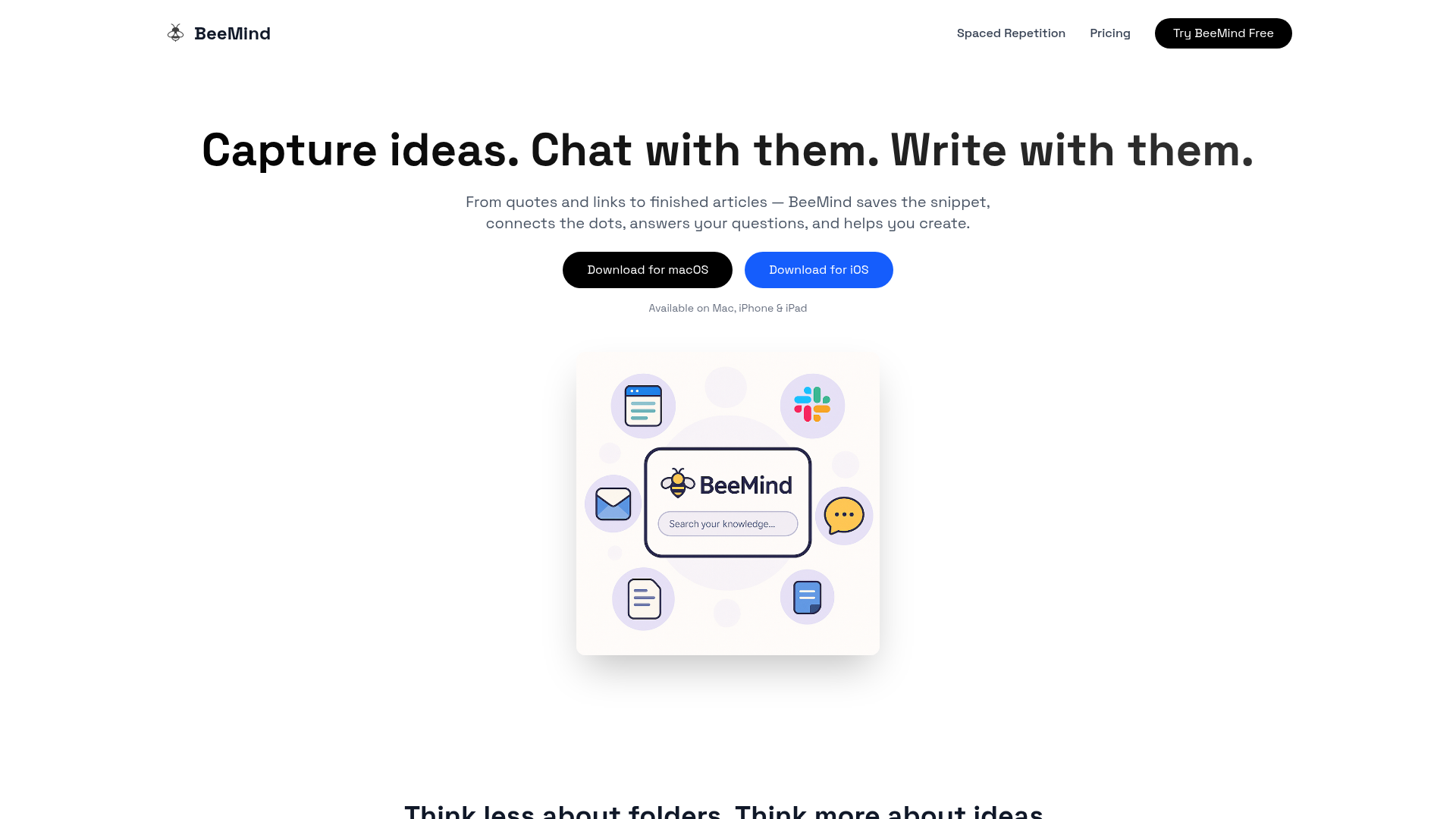
BeeMind takes a different approach than traditional read-later apps. Rather than saving full articles to a list you may never open again, BeeMind is built for capturing the specific passages, quotes, and ideas that matter, then helping you actually remember them and do something with them.
It's newer than GoodLinks, Raindrop, and Readwise. It doesn't have years of user reviews behind it. What it has is a wedge those tools don't: one-keystroke capture anywhere on your Mac, AI chat that answers questions about your entire library with citations, and SM-2 spaced repetition built in from day one.
If your problem with Pocket was saving hundreds of links you never went back to, BeeMind targets that problem directly.
Platforms
macOS, iOS, iPadOS.
Key Features
- One-keystroke capture: ⌃⌘B in any Mac app, the macOS Services right-click menu, or the iOS share sheet. Save text, links, articles, PDFs, YouTube, Substack.
- AI chat with citations: ask your library plain-English questions ("what did I save about pricing?") and get answers drawn from your own captures, with sources cited.
- Spaced repetition (SM-2): Hard / Good / Easy. Auto-Remember can promote new captures by topic without manual tagging.
- Draft and write: turn snippets into outlines, summaries, and posts.
- iCloud sync across Mac, iPhone, iPad.
- Privacy: bring your own API key (Claude, GPT, Gemini), or run both chat and indexing on a fully local model on your Mac, with nothing leaving your device. The local option is opt-in and currently flagged by the app as lower-accuracy than cloud, but it's real. No other read-later tool here offers it.
Pricing
- Free: Unlimited captures, instant save, iCloud sync, AI chat and creation with your own API key
- Pro: $7/mo. Adds built-in AI model (no key required), priority support.
- Free on Setapp: live since June 3, 2026. If you already pay for Setapp, BeeMind costs you nothing extra.
Pros
- Only tool here with both AI chat (answers with citations) and spaced repetition in one app
- Free tier is genuinely usable with your own API key
- Free on Setapp if you're already a subscriber, lowest-friction yes for Mac power users
- Built by the team behind Elephas (track record on the Mac)
- Fully local option for privacy-conscious users
Cons
- macOS and iOS only. No Android, no Windows, no web
- Newer product with a smaller community and fewer integrations than Readwise or Raindrop
- Designed for snippet capture, not full-article reading. If you want a polished reading mode, use Instapaper or Readwise Reader alongside it.
- Fully-local indexing is opt-in and currently lower-accuracy. The app itself recommends cloud for best results.
Best for: Knowledge workers, writers, researchers, and students who want to capture the important parts of what they read and actually use that knowledge later, not just save links they will never reopen. If you're a Mac/iOS user on Setapp, the price is hard to argue with.
5. Recall - Best AI Knowledge Base for Multi-Platform Users
Recall (recall.it, formerly at getrecall.ai) is the closest AI competitor to BeeMind. It positions itself as an AI knowledge base where you save content, Recall summarizes and connects it automatically, and you chat with everything. It also has a spaced repetition quiz feature on its Plus plan.
Unlike BeeMind, Recall works on all platforms via a browser extension and mobile apps. Unlike Readwise, it's not primarily a reading app, it's a knowledge capture and retrieval tool.
Platforms
Browser extension, iOS, Android, Web.
Key Features
- One-click saving with automatic AI summaries
- Automatic knowledge graph, connects related saved items
- AI chat with your knowledge base (Plus)
- Spaced repetition quizzes (Plus)
- Augmented browsing, resurfaces related saved content while you browse
- Multiple AI models on Max (ChatGPT, Claude, Gemini)
Pricing
- Free: Unlimited content saves, 10 AI summaries/month, knowledge graph, notes, API/MCP access
- Plus: $10/mo billed annually. Unlimited summaries, AI chat, smart tags, spaced repetition, Listen mode, augmented browsing, bulk import.
- Max: $38/mo billed annually. Adds 1:1 onboarding, model selection, bulk AI actions.
Pros
- Free tier is usable for saving and organizing
- Cross-platform including Android and Windows (via browser)
- AI chat plus spaced repetition at the Plus level
- Automatic summarization is useful
Cons
- No local-model / cloud-exit option
- AI chat on the free tier is limited to 10 summaries/month
- Plus is $10/mo annual, more expensive than BeeMind's $7/mo
- Less established than Readwise or Raindrop
Best for: Multi-platform users (including Android/Windows) who want an AI knowledge base similar to BeeMind but need cross-platform coverage.
6. Folio - Best for "I Just Want Pocket Back"
Folio was built by people connected to the original Pocket team specifically to fill the gap it left. The experience and focus are deliberately Pocket-like: save it, read it later, do so beautifully.
Folio supports direct Pocket CSV import, making migration from your exported file smoother than most other options. The product lives at savewithfolio.com (not folio.so, which is an unrelated, now-parked domain).
Platforms
iOS, Android, Web, Chrome extension.
Key Features
- Direct Pocket CSV import. Preserves saves, tags, and archives.
- Clean, focused reading view
- Offline reading
- Text-to-speech (Premium)
- Full-text search (Premium)
- Highlighting (Premium)
Pricing
- Free core tier (save, sync, offline reading)
- Folio Premium available. Pricing not publicly listed as of June 2026. Check savewithfolio.com for the current rate.
Pros
- Closest to the Pocket experience aesthetically and functionally
- Easy migration from Pocket export files
- Available on all major platforms including Android
- Active development with the original Pocket team's DNA
Cons
- No AI features
- No spaced repetition
- Newer. Long-term sustainability is unproven.
- Premium pricing not publicly disclosed
Best for: Pocket users who want the same reading experience back with minimal transition friction and don't need AI features.
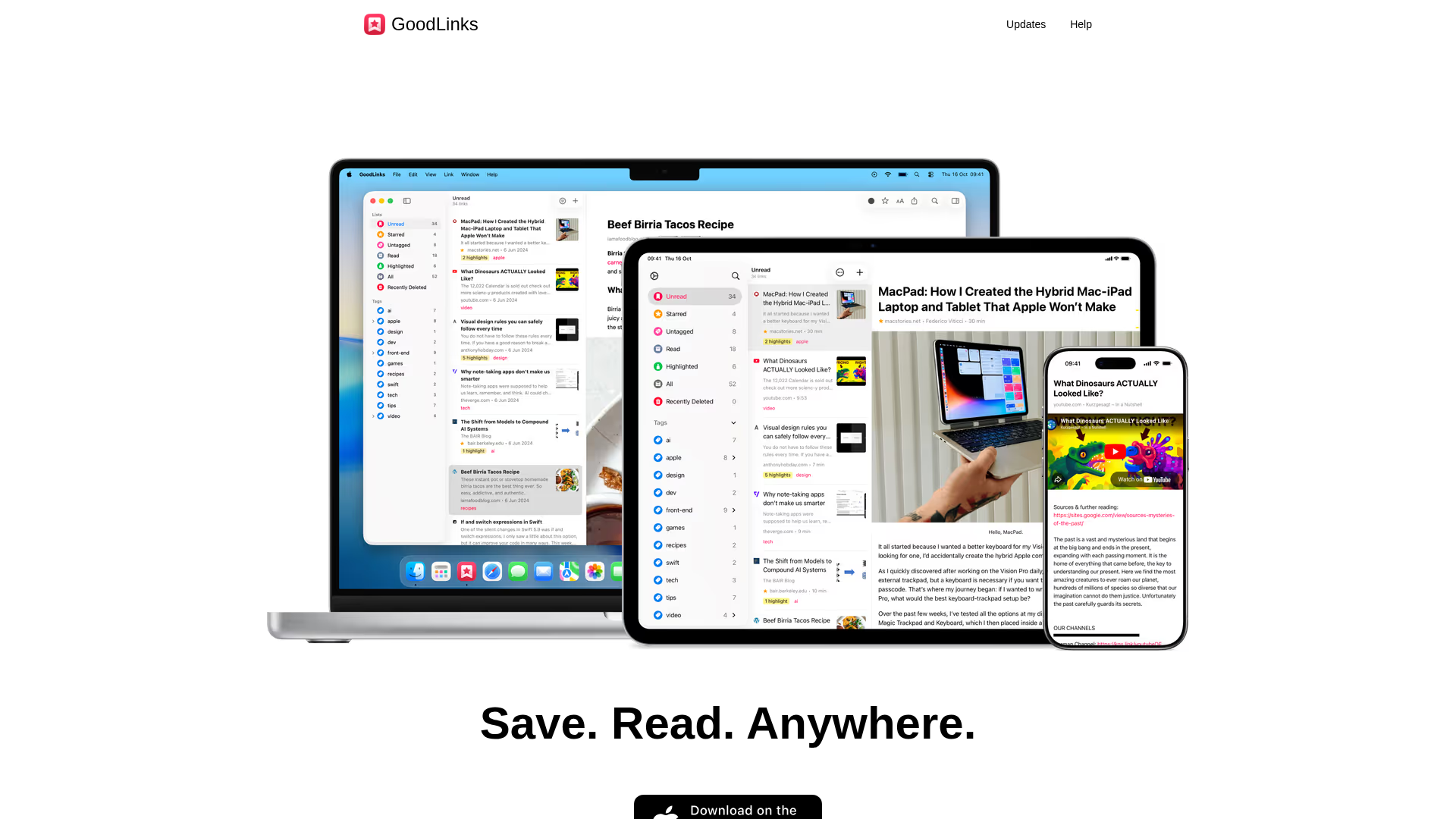
7. GoodLinks - Best One-Time Purchase for Apple Users
GoodLinks is a native Apple app (macOS, iOS, iPadOS) with a refreshing pricing model: pay $9.99 once, the app is yours, and one year of new feature upgrades is included. No subscription, no account required. Syncs via iCloud.
It does the read-later basics very well. It doesn't try to do AI or spaced repetition, and it doesn't apologize for it.
Platforms
macOS, iOS, iPadOS (Apple ecosystem only).
Key Features
- Unlimited saves with tag-based organization
- Clean reading view with customizable fonts and themes
- Article summarization (on-device, recent addition)
- Safari web extension
- iCloud sync, no account needed
- Shortcuts and AppleScript support
Pricing
- $9.99 one-time (universal purchase for Mac, iPhone, iPad)
- One year of new feature upgrades included. Additional upgrades via in-app purchase after that.
- Features unlocked during a subscription stay permanently after the subscription ends.
Pros
- Pay once, use forever. Genuinely appealing in a subscription-heavy category.
- Native Apple feel. Fast, lightweight, fits the ecosystem.
- No account or sign-in required
- Privacy-first by design, no tracking, no online data sharing
Cons
- Apple ecosystem only. No Android, no Windows, no web.
- No AI chat or advanced search
- More basic than Raindrop.io or Readwise Reader
- No free trial
Best for: Apple users who want a simple, polished read-later app with a one-time purchase and no ongoing costs.
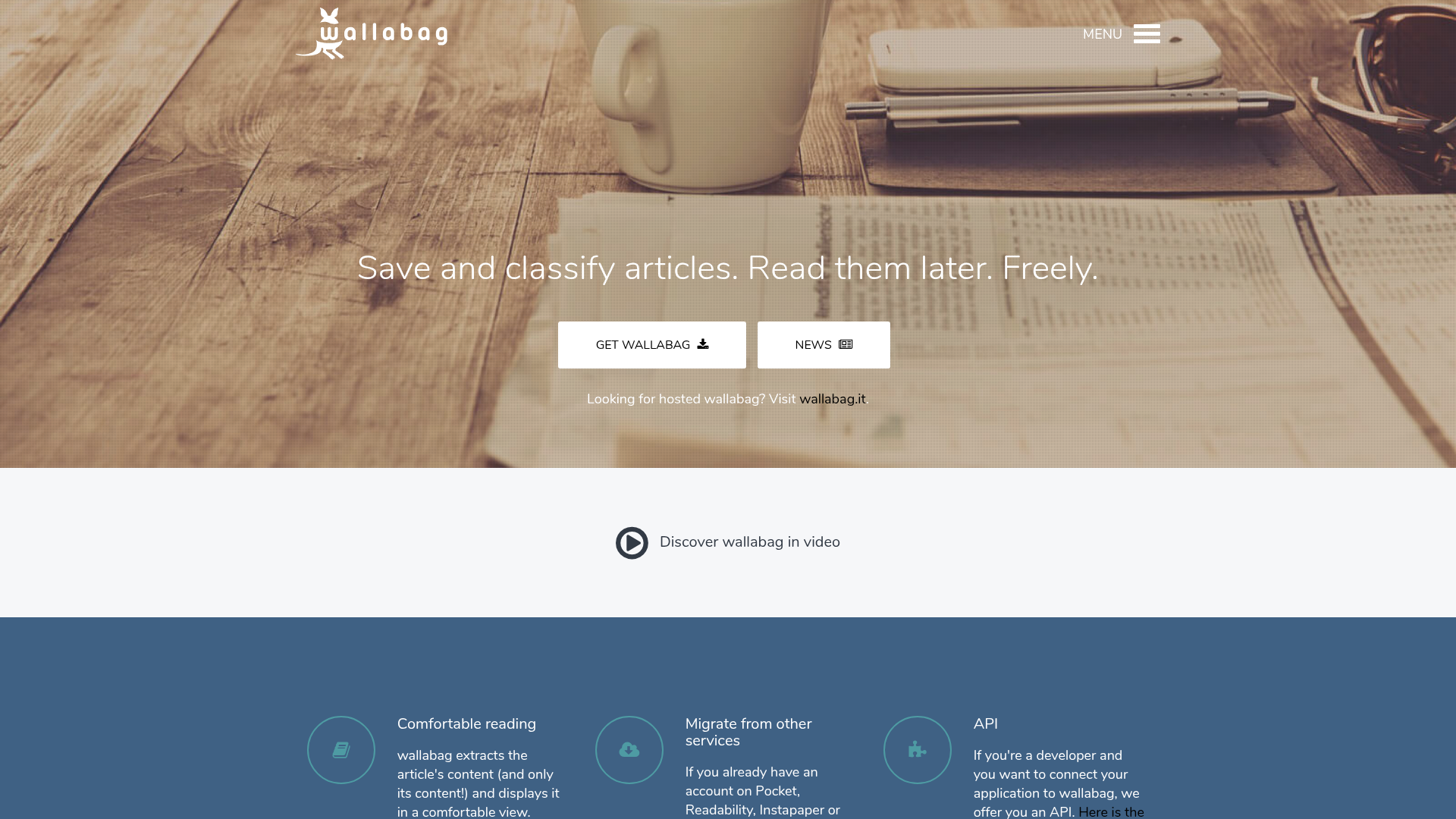
8. Wallabag - Best for Self-Hosting and Full Data Ownership
Wallabag is the choice for privacy-first users who want complete control. It's fully open source (MIT licence), and you can run it on your own server. If you don't want to manage a server, wallabag.it offers managed hosting for €11/year (~$12), the most affordable paid option on this list.
Platforms
Any (self-hosted), plus apps for iOS, Android, and Kobo.
Key Features
- Self-hostable on your own server
- Open source (MIT licence, active community)
- Export to ePub, MOBI, PDF, JSON, CSV, TXT, HTML
- E-reader support (Kobo, Kindle, PocketBook)
- Browser extensions for Chrome and Firefox
Pricing
- Free (self-hosted, requires your own server)
- wallabag.it managed hosting: €11/yr (~$12/yr), 14-day free trial, no credit card required
- Heart subscription: €30/yr (same features, supports the project)
Pros
- Complete data ownership. Your server, your data.
- Most affordable managed option (~$12/yr)
- Exports to any format
- No tracking, no ads
Cons
- Self-hosting requires technical comfort
- UI is functional but not as refined as commercial options
- No AI features
- Mobile apps are basic
Best for: Developers, privacy advocates, and self-hosters who want total control over their read-later data at minimal cost.
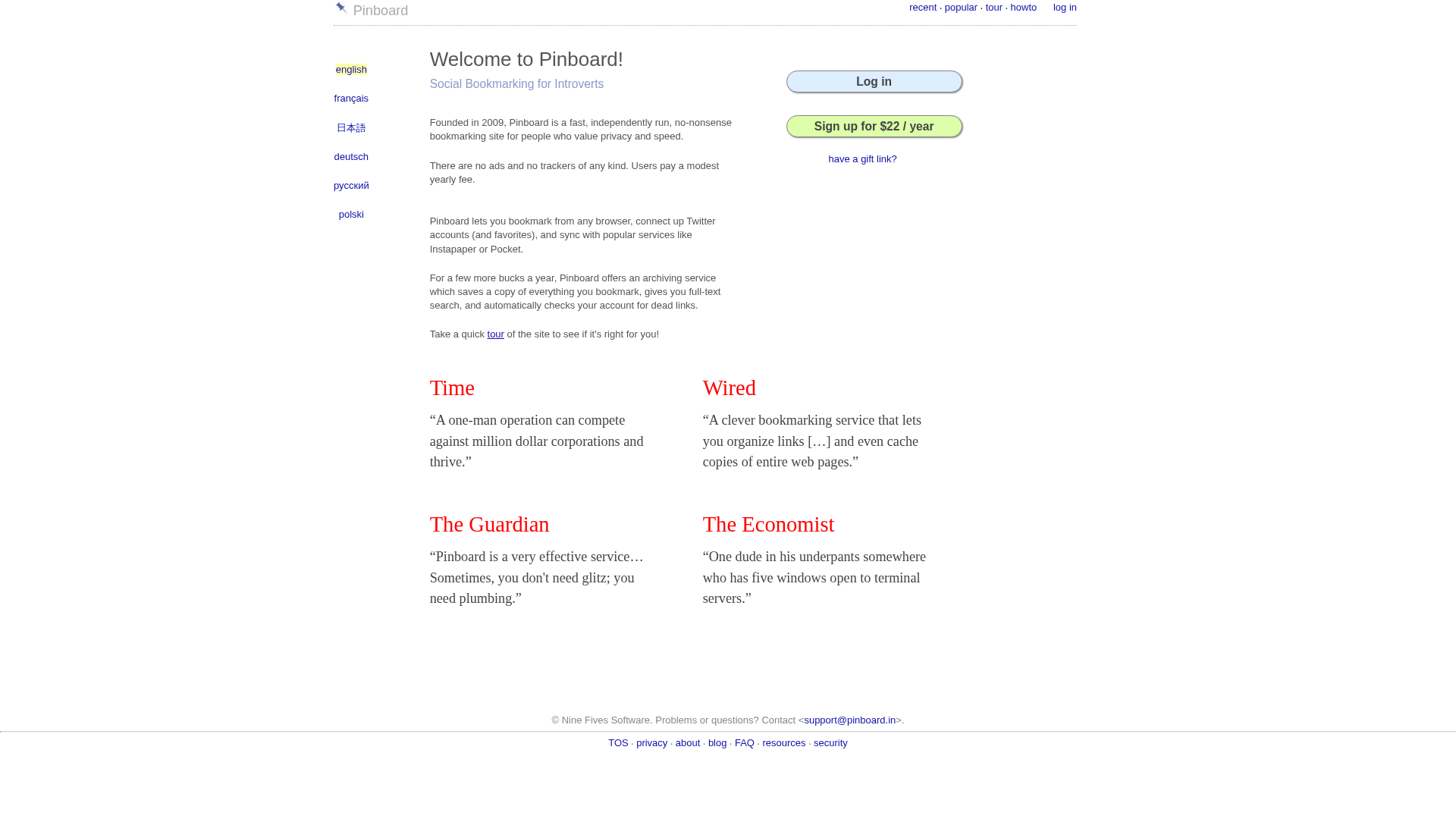
9. Pinboard - Best for Minimalists and Link Archivists
Pinboard is a one-person service run by Maciej Ceglowski. It's deliberately minimal: text-only, no flashy UI, no AI, no social features, just fast and reliable bookmarking with optional page archiving. The archival tier makes cached copies of every page you save, which survive link rot even if the original disappears.
Platforms
Web only (third-party apps available for iOS and macOS).
Key Features
- Fast, text-only bookmarking interface
- Archival tier: cached copies of every saved page
- Full-text search across bookmarks and archived content
- API access for integrations
- Tag-based organization
Pricing
- Basic: $22/yr
- Archival: $39/yr. Adds cached page copies, 100 GB cap.
Pros
- Archival tier preserves pages even if originals go offline
- Extremely fast and lightweight
- Strong privacy, one-person operation, no tracking
- Good API for developers
Cons
- No free tier
- Web only (no official mobile apps)
- No AI features
- Not actively developed with new features
Best for: Developers and minimalists who want dead-simple, durable bookmarking with archival copies.
10. Omnivore - Discontinued (November 2024)
Omnivore was a well-regarded open-source read-later app before being acquired by ElevenLabs in late 2024. The product was shut down and all user data deleted on November 15, 2024. The open-source code is still on GitHub for developers who want to self-host a fork.
We include it here because many older "Pocket alternatives" articles still list Omnivore, but it's not available.
If you were an Omnivore user, the closest replacements are Readwise Reader (full-featured substitute) or Wallabag (open-source).
Note on Matter: we used to give Matter its own section here. It's still a strong option for newsletter and podcast readers (free tier, $8/mo Premium), and it's in the comparison tables above and below. For a full Matter review, see our 10 Best Read-It-Later Apps in 2026.
Detailed Pricing Comparison
| Tool | Free Plan | Paid Plan | Annual Cost | One-Time Option |
|---|---|---|---|---|
| GoodLinks | No | $9.99 one-time | $0 after purchase | Yes ($9.99) |
| Wallabag | Yes (self-hosted) | €11/yr managed | ~$12 | No |
| Pinboard | No | $22-39/yr | $22-39 | No |
| Raindrop.io | Yes (generous) | ~$3.15/mo annual | ~$38 | No |
| Instapaper | Yes | $5.99/mo | ~$60 | No |
| Matter | Yes | $8/mo | $60 | No |
| BeeMind | Yes (BYO key) | $7/mo | $84, or $0 on Setapp | No |
| Recall | Yes (limited) | $10/mo annual | ~$120 | No |
| Readwise Lite | 30-day trial | $5.59/mo annual | ~$67 | No |
| Readwise Full | 30-day trial | $9.99/mo annual | ~$120 | No |
| Folio | Yes | Premium (not listed) | Not listed | No |
Setapp note: BeeMind is included in a Setapp subscription as of June 3, 2026. If you already subscribe, the annual cost for BeeMind drops to $0.
How to Migrate from Pocket
If you exported your Pocket data before November 12, 2025, you have an HTML file. Here's how to use it:
- Raindrop.io: Settings > Import > Pocket. Imports links, titles, and tags.
- Instapaper: Settings > Import > Pocket HTML. Preserves articles and folder-like tags.
- Wallabag: Import tab in the web interface. Supports Pocket JSON format.
- Folio: Built-in Pocket CSV import, the smoothest migration on this list.
- Readwise Reader: Import via the web app, accepts Pocket exports.
- BeeMind: Not a direct Pocket-link importer. BeeMind is a snippet/passage capture tool, not a link archive. You can paste passages or URLs individually.
If you missed the export window, your Pocket data is gone. There's no recovery path.
How to Choose
The right choice depends on one question: what will you actually do with what you save?
- "I'll read articles later" - Raindrop.io (free, all platforms) or Instapaper (cleanest reading view, Kobo).
- "I save a lot and forget most of it" - BeeMind (chat with what you saved, spaced repetition) or Readwise Reader (daily review of highlights).
- "I'm on Kobo" - Instapaper. It's the official replacement.
- "I need Android" - Raindrop.io, Instapaper, Recall, or Folio.
- "I want Pocket back exactly" - Folio.
- "Privacy and self-hosting matter most" - Wallabag.
- "No subscription, ever" - GoodLinks ($9.99 one-time, Apple only).
- "I want AI to help me do something with what I save" - BeeMind or Recall.
- "I'm a Setapp subscriber" - BeeMind on Setapp. Already included in your plan.
Frequently Asked Questions
Is Pocket still available in 2026?
No. Mozilla shut down Pocket on July 8, 2025. The service is fully offline. The apps, browser extensions, and API no longer function. User data was permanently deleted starting November 12, 2025. There's no way to access or recover Pocket saves after that date.
What replaces Pocket?
There's no single official successor. The best replacement depends on what you used Pocket for. For a like-for-like experience, Raindrop.io has the most feature parity and is free. For Kobo e-reader users, Instapaper is the official replacement (Rakuten Kobo and Instapaper partnered directly). For users who want to go beyond saving links and actually use their saved knowledge, BeeMind and Readwise Reader are worth considering.
What replaces Pocket on Kobo e-readers?
Rakuten Kobo partnered with Instapaper as the official Pocket replacement on all Kobo devices. Set it up in your Kobo settings under "Instapaper." The free tier covers basic read-later. Instapaper Premium ($5.99/mo or $59.99/yr) adds text-to-speech, PDF reader, and full-text search. Note: Send to Kindle from Instapaper now requires Premium (changed February 2025).
How do I migrate from Pocket?
If you exported your data before November 12, 2025, you have an HTML or JSON file with your saved links. Raindrop.io, Instapaper, Wallabag, and Readwise Reader all accept Pocket exports. Folio offers the smoothest migration with dedicated Pocket CSV import. If you missed the export window, the data is gone. There's no recovery path.
What is the best free Pocket alternative?
Raindrop.io offers the best free plan: unlimited bookmarks, unlimited collections, sync across all platforms at no cost. Instapaper and Matter also have solid free tiers for basic read-later. Wallabag is entirely free if you self-host. For knowledge capture with AI (BYO API key), BeeMind's free tier includes unlimited captures.
What is the best Pocket alternative for Android?
Raindrop.io is the strongest choice for Android: full-featured app, offline access, cross-platform sync. Instapaper, Recall, and Folio also have Android apps. BeeMind is macOS and iOS only, so not an option for Android users.
What is the best Pocket alternative for Firefox?
Raindrop.io has a dedicated Firefox extension that works like Pocket's browser integration. Readwise Reader and Wallabag also have Firefox extensions. BeeMind's capture shortcut (⌃⌘B) works from any browser on macOS but is not a browser extension.
What is the best Pocket alternative with spaced repetition?
Three tools offer spaced repetition. BeeMind uses the SM-2 algorithm and has an Auto-Remember feature that resurfaces captures by topic without manual tagging. Readwise Reader's "Daily Review" resurfaces highlights from your reading using spaced-repetition logic. Recall (Plus plan) offers spaced repetition quizzes on saved content. BeeMind's spaced repetition is more capture-focused, while Readwise's is highlight-focused.
What is a getpocket alternative or Mozilla Pocket alternative?
All of the tools on this list are alternatives to getpocket.com (formerly Mozilla Pocket). Raindrop.io is the closest feature match. BeeMind adds an AI layer. Instapaper replaces Pocket on Kobo. The choice comes down to platform needs and whether you want AI features.
Is Omnivore still available?
No. Omnivore was shut down on November 15, 2024 after the founding team was acquired by ElevenLabs. The open-source codebase is still on GitHub, but the service is offline and no longer maintained. Former Omnivore users are best served by Readwise Reader or Wallabag.
Final Verdict
Pocket's closure was abrupt, but the read-later landscape in 2026 is better than it was when Pocket was active.
For most former Pocket users, Raindrop.io is the easiest transition. Free, all platforms, does everything Pocket did plus more. If you're a Kobo user, go straight to Instapaper.
If your real problem was saving things and never revisiting them, the more interesting tools are BeeMind (capture the passages that matter, chat with your library, let spaced repetition do the remembering) and Readwise Reader (the deepest highlighting and annotation environment in the category).
For readers who already pay for Setapp, BeeMind is free as of June 2026. No additional cost.
Whatever you choose, pick a tool with a sustainable business model. You don't want to migrate again in two years.
For a broader comparison that goes beyond Pocket alternatives, see our 10 Best Read-It-Later Apps in 2026. If you're currently on Instapaper and re-evaluating, see our 7 Best Instapaper Alternatives in 2026.
Download BeeMind for macOS, get it on the App Store for iOS, or unlock it free on Setapp.