A read-it-later app and quick-capture second brain
Capture ideas. Chat with them. Write with them.
Save links, quotes, and snippets from any app on Mac, iPhone or iPad. Ask your library in plain English and get answers with sources, so every reply traces back to what you saved.
Available on Mac, iPhone & iPad
Also available on Setapp
30 seconds: capture a link, then ask BeeMind what you saved.
Liked what you saw?
Think less about folders. Think more about ideas.
Three steps from scattered information to structured knowledge.
Capture
Highlight anything — article, chat, PDF. Press your shortcut. Done.
Ask
Ask BeeMind anything about what you saved. Get answers with sources, so you can trust every reply.
Create
Draft articles, summaries, or notes — powered by everything you've captured.
Save From Anywhere
Save links and snippets from any app on Mac or iOS. BeeMind reads the page title, embeds it, and makes it searchable — your saved links become queryable knowledge, not forgotten bookmarks.
YouTube
Save videos
Twitter / X
Save tweets
Save posts
Web Articles
Save articles
On Mac
Right-click any link or text → Services → Save to BeeMind. Works in every browser and app.
On iPhone & iPad
Tap Share → BeeMind. Save links from Safari, YouTube, Twitter, LinkedIn, or any app.
Features at a Glance
Instant Capture
Select text or save links anywhere on your Mac — Safari, YouTube, Twitter, Mail, Slack, PDFs. Right-click or press the shortcut. BeeMind saves it instantly.
Chat with Your Knowledge
Ask BeeMind questions about your captured snippets and get answers with sources - every reply links back to the exact snippet it came from. No more "where did I read that?"
✍️ Write & Create Content
Transform your captured knowledge into finished pieces. Draft articles, essays, reports, or social posts—BeeMind weaves your snippets into coherent narratives, complete with citations and context.
Automatic Linking & Suggestions
Behind the scenes, BeeMind tags and connects related idea fragments. Your knowledge graph grows without you filing anything.
Built for Quick Captures
Snippets, quotes, links, and bookmarks. Save anything worth remembering in seconds. Not a full document editor — a curator's tool for the things that matter.
Privacy-First Flexibility
Use our built-in model, plug in your own API key (Claude, GPT-4, Gemini), or go 100% local for chat and indexing. We don't train on your data.
Three steps. No friction.
1. Highlight any text. 2. Right click -> Services -> Saved to BeeMind or press shortcut. 3. Later, open BeeMind and ask or browse your captured thoughts.
🧠 Spaced Repetition Built-in
Never forget what matters. BeeMind uses the scientifically-proven SM-2 algorithm to automatically schedule reviews of important snippets. Learn how it works →
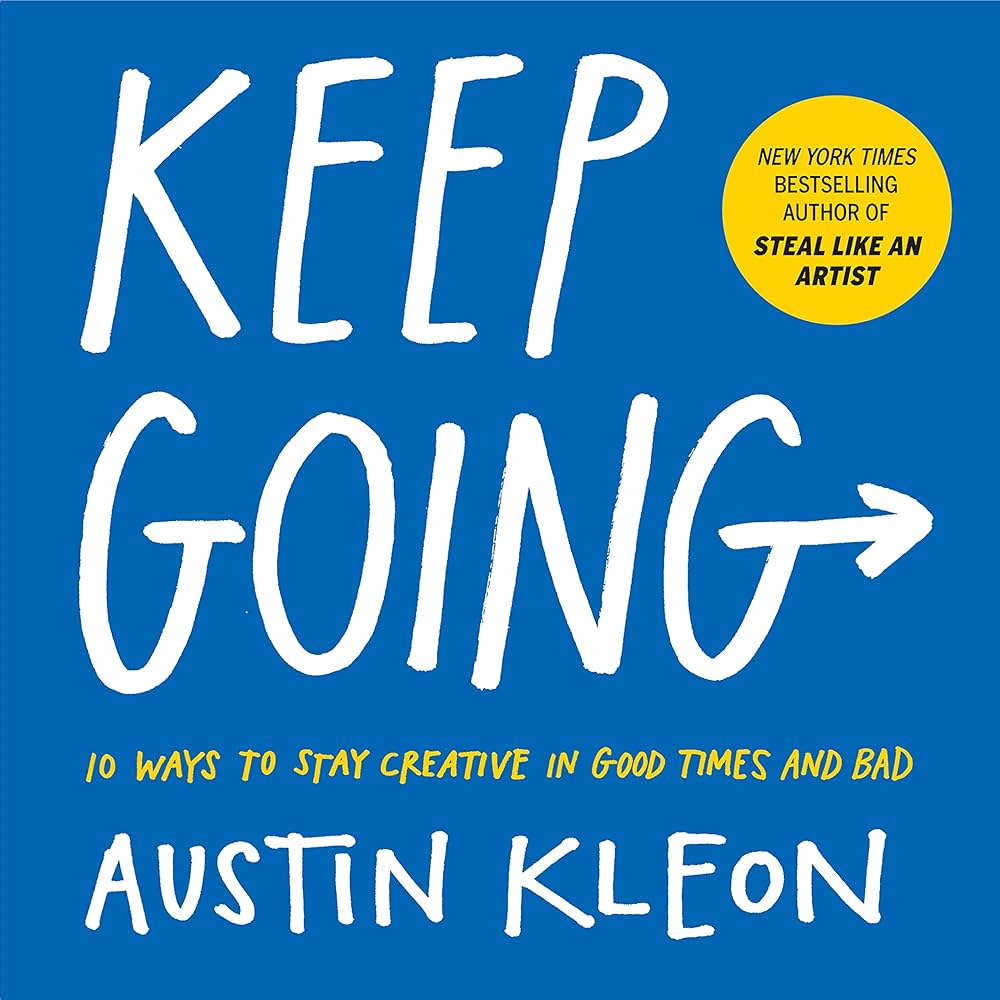
Creativity is about connections, and connections are not made by siloing everything off into its own space. New ideas are formed by interesting juxtapositions, and interesting juxtapositions happen when things are out of place.
Austin Kleon in Keep Going
Whether you build, study or create, this is for you.
BeeMind adapts to how you work
Knowledge Workers
You read everything … dashboards, reports, research. BeeMind gives you a lightweight system to capture micro-insights, then retrieve them when strategy calls.
Writers & Creators
You collect inspiration: quotes, article ideas, turns of phrase. BeeMind ensures nothing gets lost. When you sit down to write, your captured ideas are ready to play. From first draft to final piece—BeeMind helps you transform scattered snippets into polished content.
Students & Researchers
Reading articles, writing color-coded notes, chasing citations? BeeMind simplifies the process: highlight, save, ask later. When writing your paper you already own the connections.
Productivity Enthusiasts
You've tried everything. Too many folders, too many apps. BeeMind is frictionless, minimalist, powerful.
From Capture to Creation
BeeMind isn't just a repository—it's your complete thinking-to-publishing workflow
1. Capture
Highlight quotes, ideas, links from anywhere. Press your shortcut. Done. No filing, no folders.
2. Chat & Query
"Show me everything on productivity." "Find quotes about creativity." Your knowledge answers instantly.
3. Write & Create
Transform snippets into articles, essays, reports. BeeMind drafts coherent content from your captured knowledge.
Example Workflow
You've been capturing snippets about "remote work culture" for weeks
Open BeeMind chat: "Help me write a LinkedIn post about remote work culture"
BeeMind analyzes your snippets, identifies key themes, and drafts a compelling post with your voice
Edit, refine, publish—all backed by months of collected insights
What people are saying
"BeeMind feels invisible — my thoughts just go in and I find them later."
"I wrote my entire essay from snippets I'd been collecting for months. BeeMind connected dots I didn't even see."
"Unlike traditional note-apps, I don't need to think 'where do I file this?' — BeeMind handles that automatically."
Remember what matters with Spaced Repetition
Capturing information is just the beginning. BeeMind helps you actually remember it using scientifically-proven spaced repetition.
Tell BeeMind what topics you care about, and it automatically identifies and schedules reviews of matching snippets—right when you're about to forget them.
Learn How It Works →Auto-Remember
AI automatically finds snippets matching your topics—no manual tagging
SM-2 Algorithm
Proven system used by top learners worldwide to optimize review timing
Smart Reminders
Get notified when reviews are due, fitting your schedule
BeeMind for iPhone & iPad
Save links and text from any app. Watching a YouTube video? Reading a tweet? Browsing LinkedIn? Tap Share → BeeMind.
Your saved links and snippets are enriched and connected with AI, helping you think clearly, recall faster, and make better decisions.
No folders. No tagging. No friction. Your links sync across all your devices via iCloud.
Download on the App Store →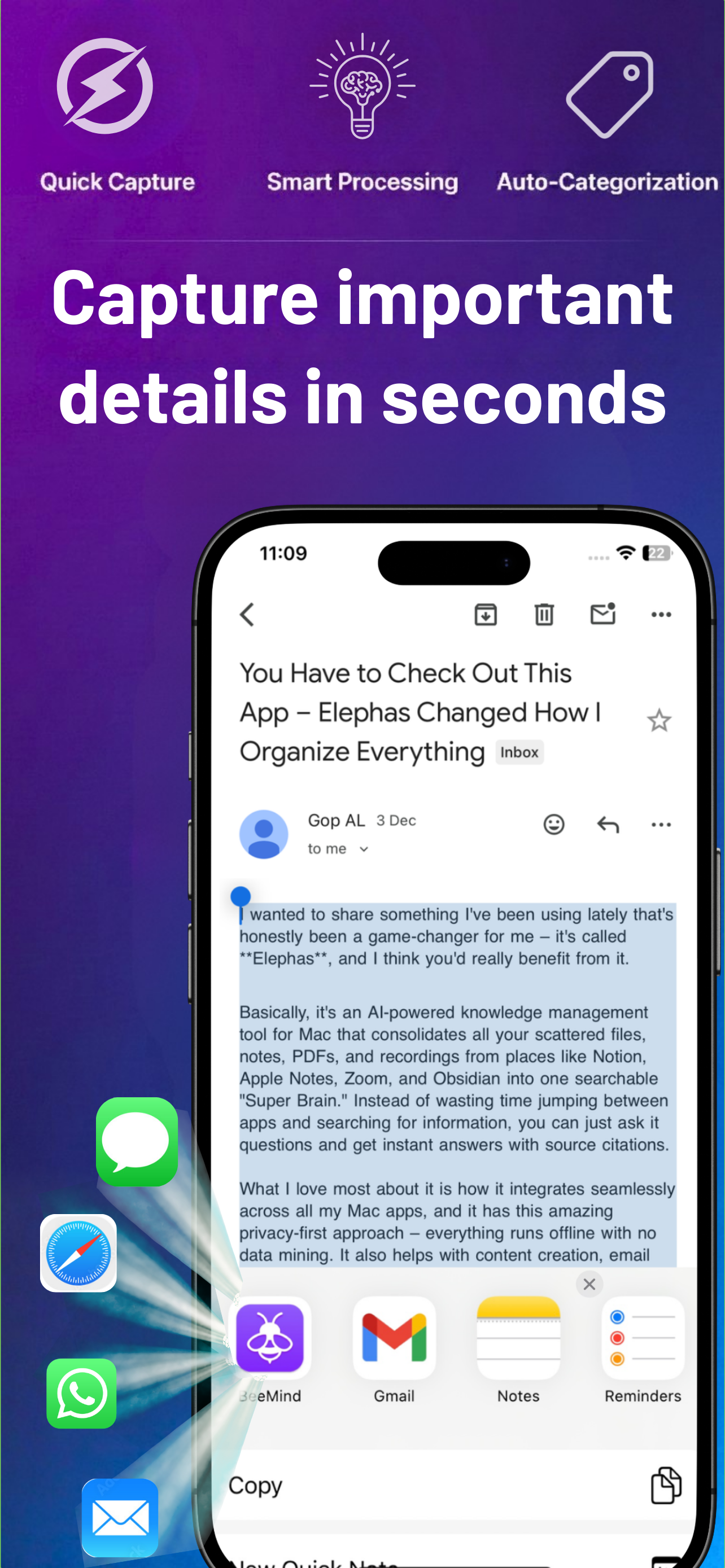
Your ideas. Your device. Your control.
BeeMind runs natively on Mac, iPhone, and iPad. Pick how your text is processed: our built-in model (default), your own OpenAI / Claude / Gemini key, or 100% local (chat and indexing) for full offline privacy. We don't train on your data. iCloud sync keeps everything in sync across your devices.
Local indexing is supported but lower-accuracy today; for the best results we recommend the built-in model or your own OpenAI / Claude key.
Simple, Transparent Pricing
Start free. Upgrade when you need AI power and cross-device sync.
Free
Perfect for getting started
Download Free- Instant capture from anywhere
- Unlimited snippets (fair use)
- Automatic linking & tagging
- AI chat & content creation (bring your own API key)
- Built-in AI model (no key needed)
- iOS app access
Pro Monthly
Full AI power, monthly flexibility
Start Pro Monthly- Everything in Free
- Built-in AI model (no key needed)
- AI chat & content creation, no setup
- iOS app access
- Priority support
Or get it as part of Setapp
Both plans support fully local processing if you opt in. Cancel Pro Monthly anytime.
Common Questions
Can I add entire PDF documents?
BeeMind is designed for quick captures – think sentences, not documents. For those "I need to remember this" moments, not full document management.
Check out Elephas for that.
How is it different from Obsidian or Apple Notes?
BeeMind is a curators tool, not a note-taking app. It's designed for quick captures and effortless organization. Think of it as your second brain for small text you want to remember.
How about code snippets?
Absolutely! Save those clever solutions you find on Stack Overflow or useful functions you write. Perfect for small, reusable pieces of code.
Is there an iOS app?
Yes! BeeMind is available on the App Store for iPhone and iPad. Your snippets sync seamlessly via iCloud.
What's included in the free plan?
The core BeeMind experience is free forever. Upgrade only when you need cross-device sync.
Can BeeMind replace my bookmark manager?
Yes. Save any URL from Mac or iOS — YouTube videos, tweets, LinkedIn posts, web articles. Unlike traditional bookmarks, BeeMind reads the page title, embeds it with AI, and lets you search your saved links with natural language. Your bookmarks become queryable knowledge.
Is there a browser extension?
BeeMind uses macOS Services, which works across all apps including every browser — no extension to install or update. On iOS, use the Share Sheet from any app.
Does it work on Windows?
No, BeeMind is available for macOS, iPhone, and iPad only.
From the Blog
Start capturing smarter today.
Because the smallest captured thought can lead to your biggest insight.
Also available on Setapp